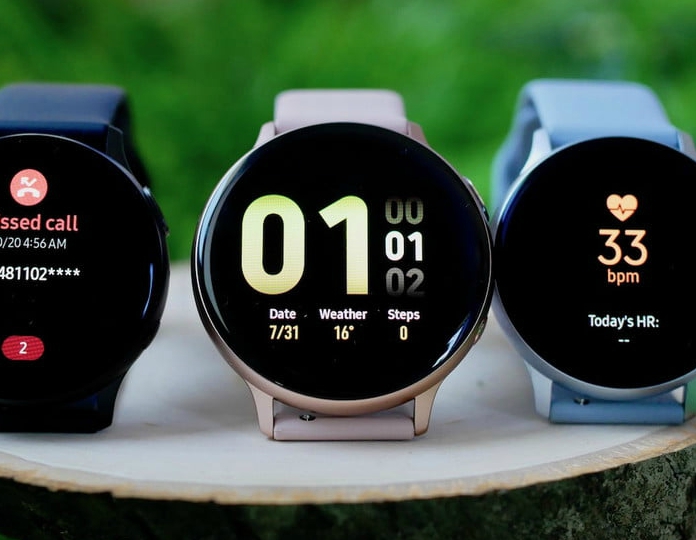

Samsung’s latest Galaxy Watch Active 2 has a few features that let you forget about carrying your smartphone. Being able to use fitness features, start GPS, Wi-Fi and Bluetooth, pair Bluetooth headphones or earbuds and make calls over the LTE network are some of the Active 2’s best features.
The earlier Galaxy Watch and the first Galaxy Watch Active both have these features too. Alongside them, the camera controller function is worth a mention, as it makes these smartwatches even more advanced.
With the launch of the Watch Active 2, Samsung introduced its own Camera Controller app. The app’s main advantage is that you can take photos with your smartphone from your smartwatch. It is the best option for users who want to take group photos. The Camera Controller app means you no longer need an extra selfie stick when travelling. You only have to download one app, and it will spare you the clutter of other kinds of devices. If you don’t know how to use the Camera Controller app on the Galaxy Watch Active 2, follow these simple steps.
1. Download Camera Controller from the Galaxy Store
2. Open the app on your paired smartwatch
3. You can set the timer to capture the exact moment
4. You can also focus the image by tapping in the centre of the app
5. To switch between the front and rear cameras, swipe the screen up or down
6. To record video, first start filming from your smartphone
7. After that, you can control the video recording from the Active 2
8. You can also watch a preview of the video recording
These are some of the essential features added to Samsung’s Galaxy Watch Active 2 smartwatch. At the moment, users of the Galaxy S20, S20+, S20 Ultra, Galaxy S10, S10+, S10e, Galaxy Note 10, Note 10+ and Galaxy Fold smartphones can use it.
All other Galaxy smartphones and non-Samsung smartphones cannot use the app. Support may arrive soon in the next version.
Translated from the Italian original. Read in Italian