
For years I typed long messages on a slab of glass without a second thought, getting one key in three words wrong and fixing it with my thumb. Then I snapped the Clicks Power Keyboard onto the back of my iPhone, and for the first time since the BlackBerry era I could feel keys under my fingers again. It isn't a case, and it isn't just a gadget for the nostalgic: it's a physical keyboard that attaches magnetically to almost any phone, turns it into a little communicator and charges it while you type.
Unveiled by Clicks at CES 2026 and on sale since June, the Power Keyboard is the evolution of the first Clicks Keyboard Case, which was designed for a single iPhone model. Here the leap is conceptual: no more dedicated case, but a universal MagSafe mount, an internal battery and the option of using it as a Bluetooth keyboard with everything from a tablet to an Apple TV. There is also a heavyweight name behind it: Joseph Hofer, a former lead designer at BlackBerry.
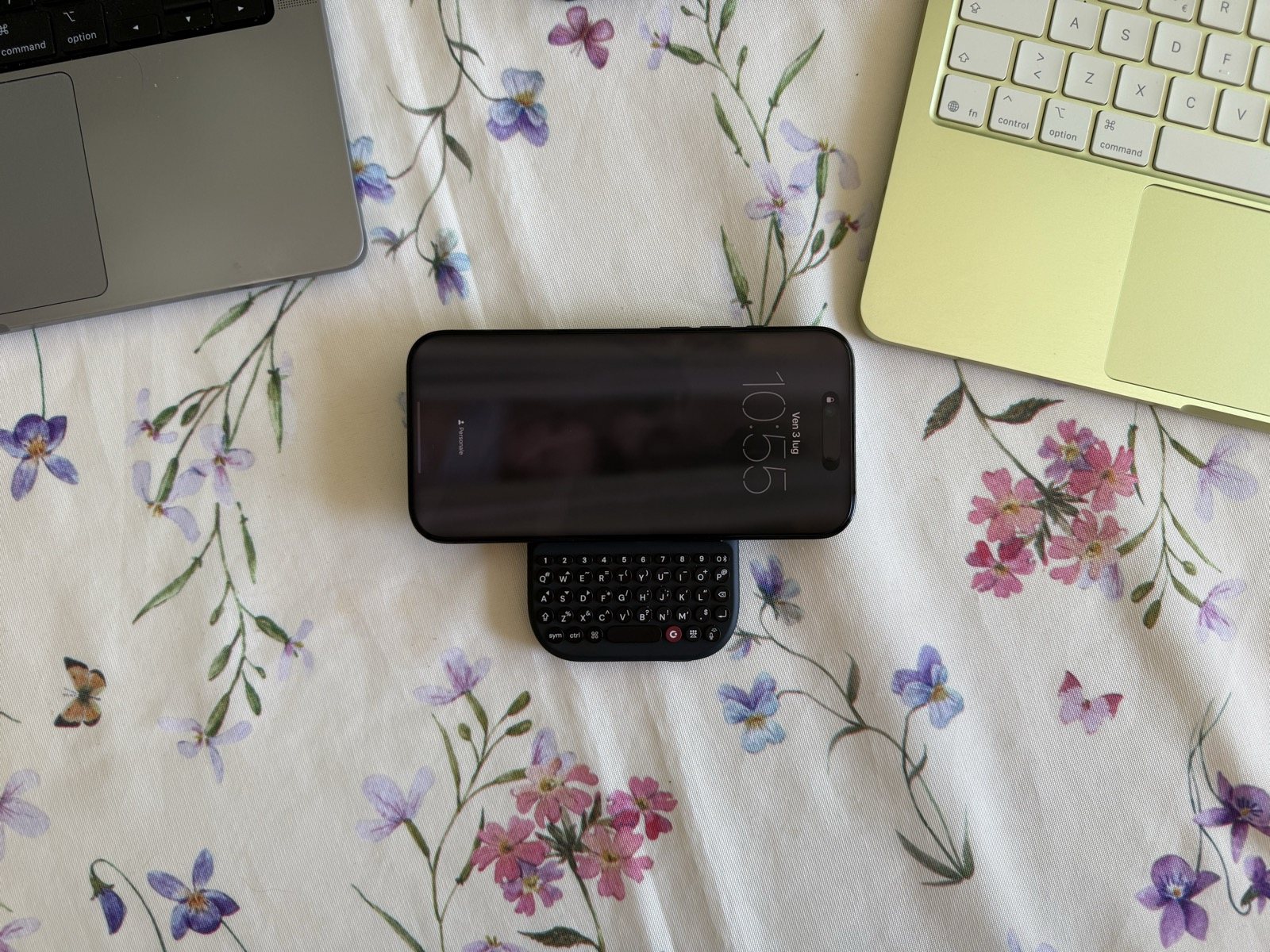
In brief
The Clicks Power Keyboard is a physical QWERTY keyboard that snaps wirelessly onto any MagSafe or Qi2 phone and charges it from a 2,300 mAh battery. Backlit keys, Bluetooth 5.4, up to 9 pairable devices. A brilliant idea and a satisfying typing experience; held back by slow 5W charging and the extra bulk. Score: 4/5.
- Price: about $109 ($79 at the launch offer)
- Praised for: universal fit, physical typing, double duty as a charger, multi-device support
- Worth knowing: wireless charging at just 5W, a bulkier phone, camera covered while attached
- Model tested: CP-1000 Onyx on an iPhone 16 Pro
Technical specifications
| Specification | Details |
|---|---|
| Type | Bluetooth QWERTY keyboard with magnetic mount and built-in wireless charging |
| Model | CP-1000 (Onyx colour) |
| Battery | 2,300 mAh, of which about 500 mAh is reserved for the keyboard (adjustable from the app) |
| Phone charging | Wireless Qi/MagSafe up to 5W |
| Input | USB-C (5V/1.5A - 9V/1A) |
| Connectivity | Bluetooth Low Energy 5.4 |
| Pairable devices | Up to 9 (number keys 1-9), 3 connected at once |
| Keys | Backlit QWERTY, dedicated number row, arrow keys, shortcut key |
| Backlighting | Adjustable LED |
| Dimensions | 119.7 x 76.6 x 15.2 mm |
| Weight | 180 g |
| Compatibility | iPhone 12 and later (MagSafe), Android with Qi2, magnetic cases or adhesive ring |
| Other uses | Bluetooth keyboard for tablets, Apple TV, Vision Pro, handhelds |
| Price | $109 list price ($79 at the launch offer) |
Design and packaging
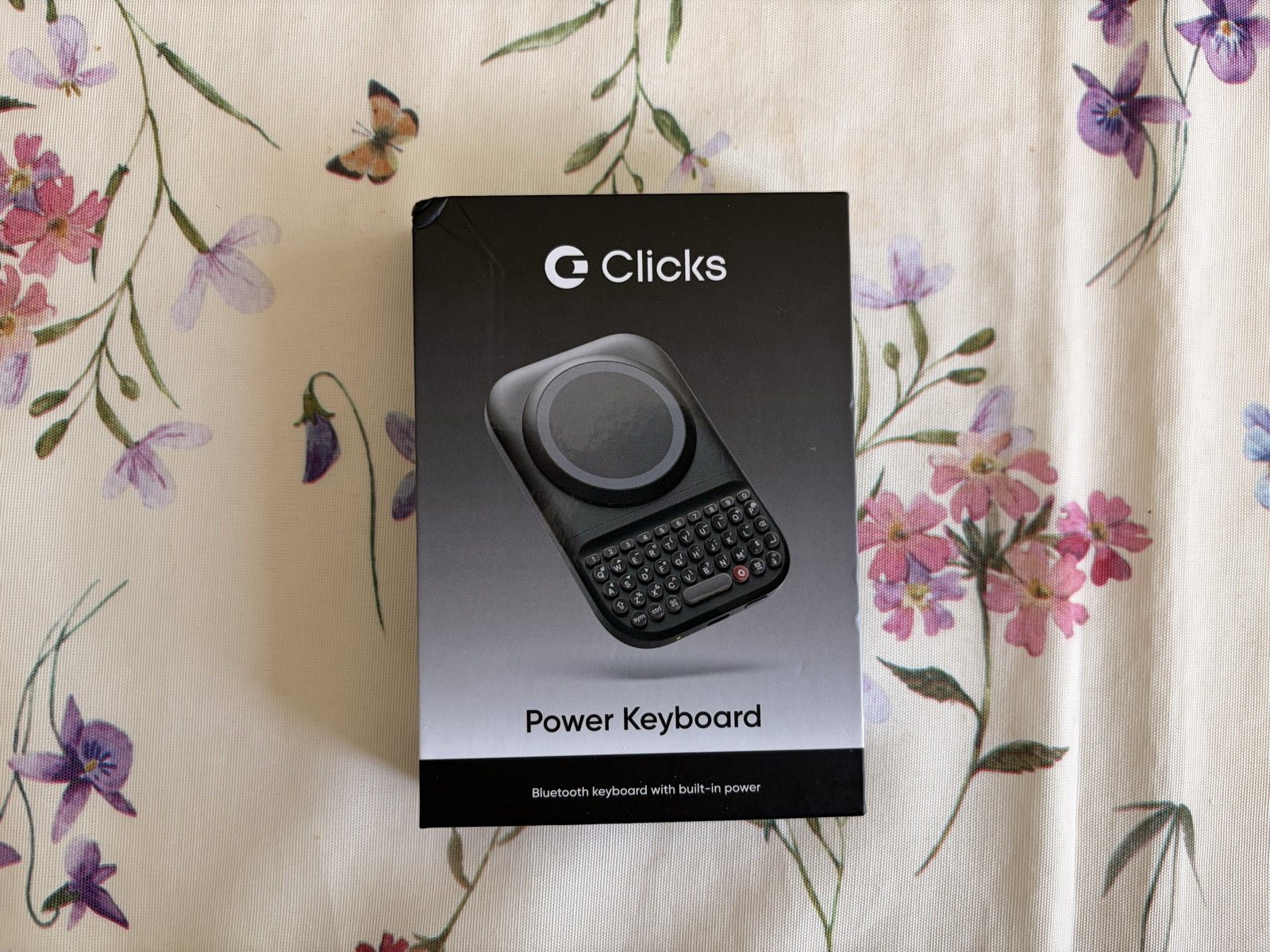
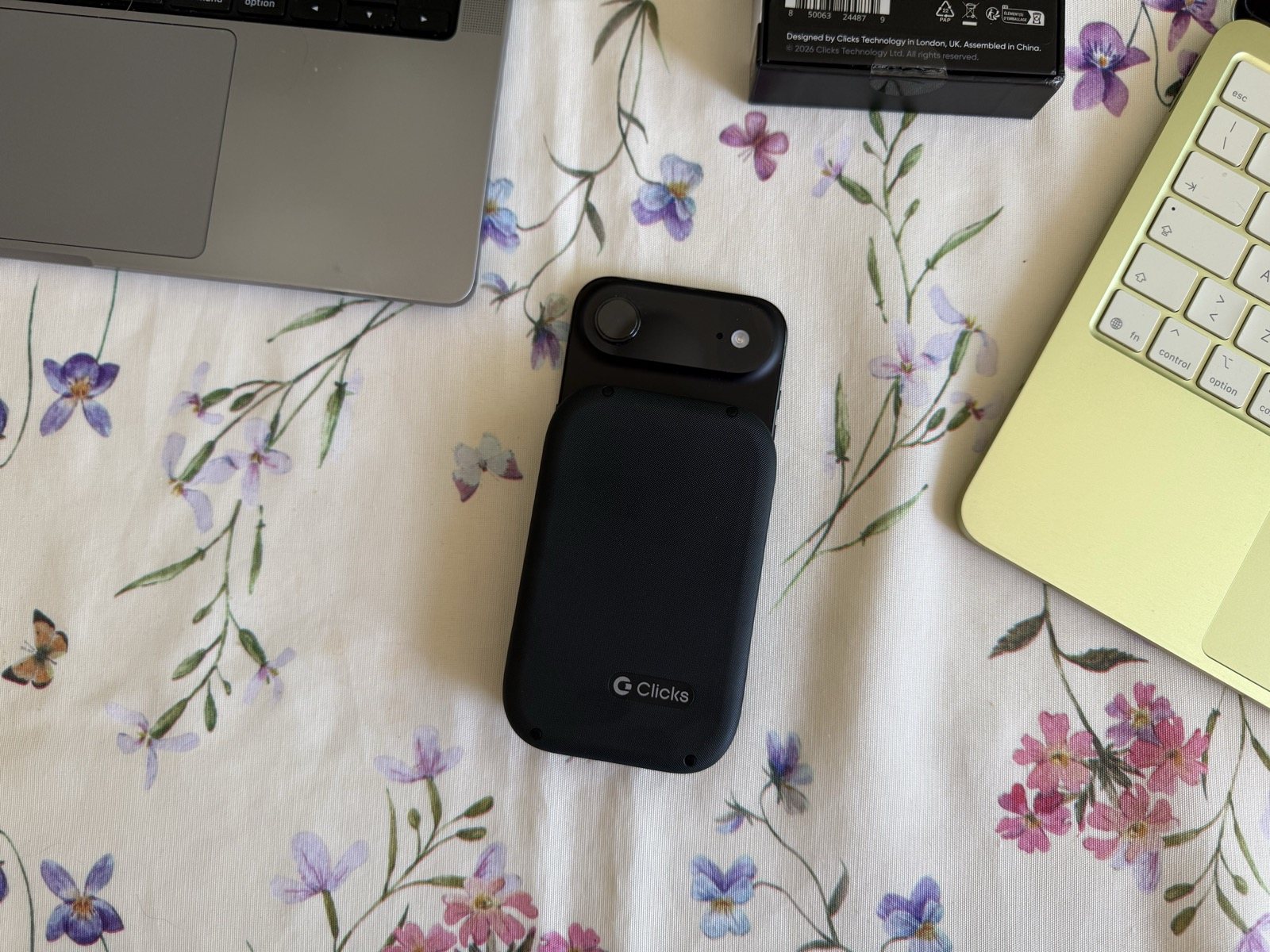
The box contains what you need and nothing more: the keyboard, a USB-C charging cable and the quick-start guide. There's no power adapter, but that's the norm these days. The device itself is a matt black block with a textured shell that feels pleasant in the hand and isn't at all slippery. The build quality is serious: the hinges and mechanisms don't wobble, and the Clicks logo on the back is the only aesthetic flourish.
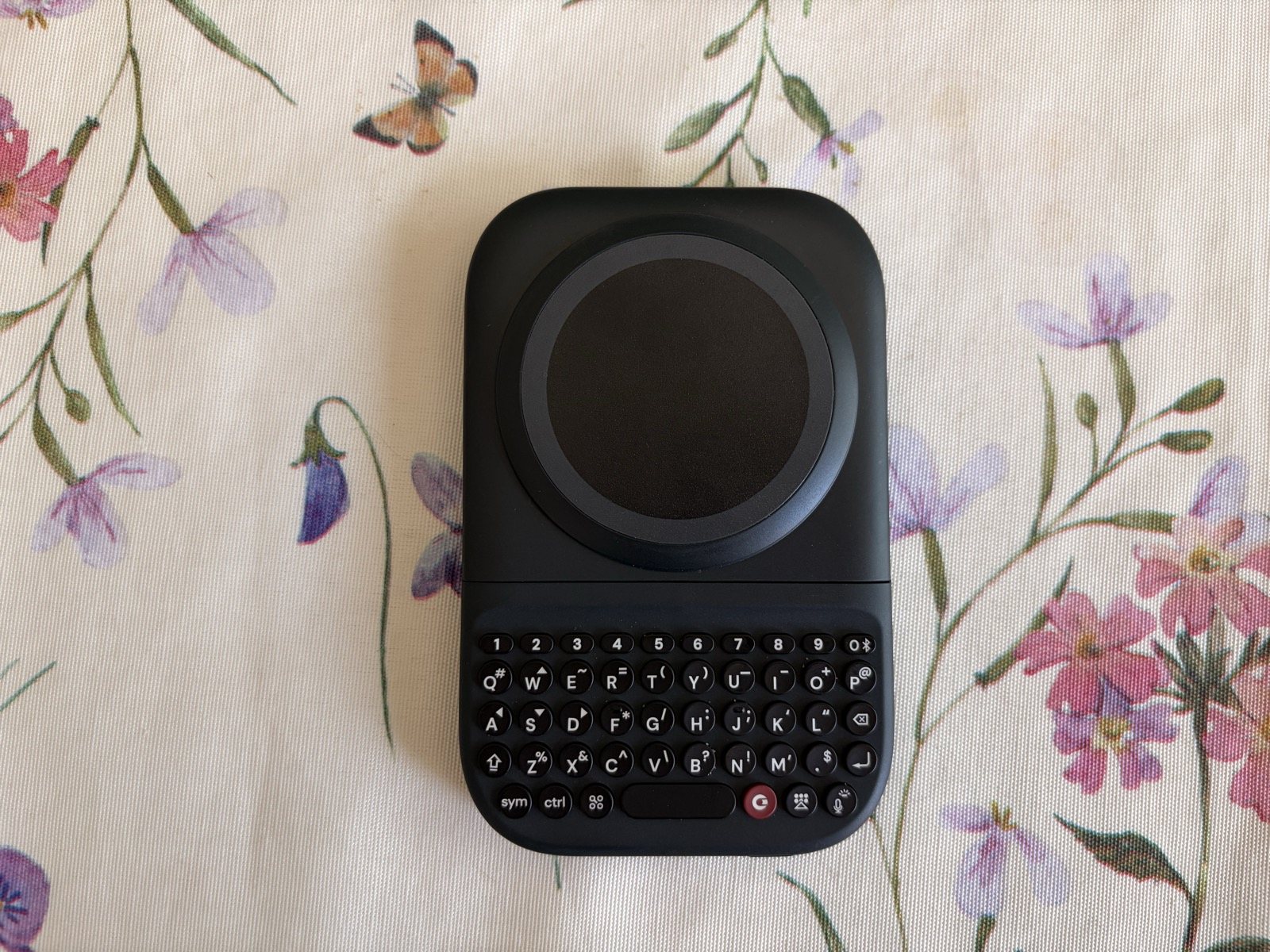
The upper part houses a large circular magnetic pad, which doubles as the MagSafe mount and the wireless charging coil. The lower part is the QWERTY keyboard proper. In between is a sliding mechanism that lets you move the keyboard away from the pad to suit phones of different lengths, and rotate the whole assembly to use it in portrait or landscape. It's a simple piece of engineering, but a well-solved one.
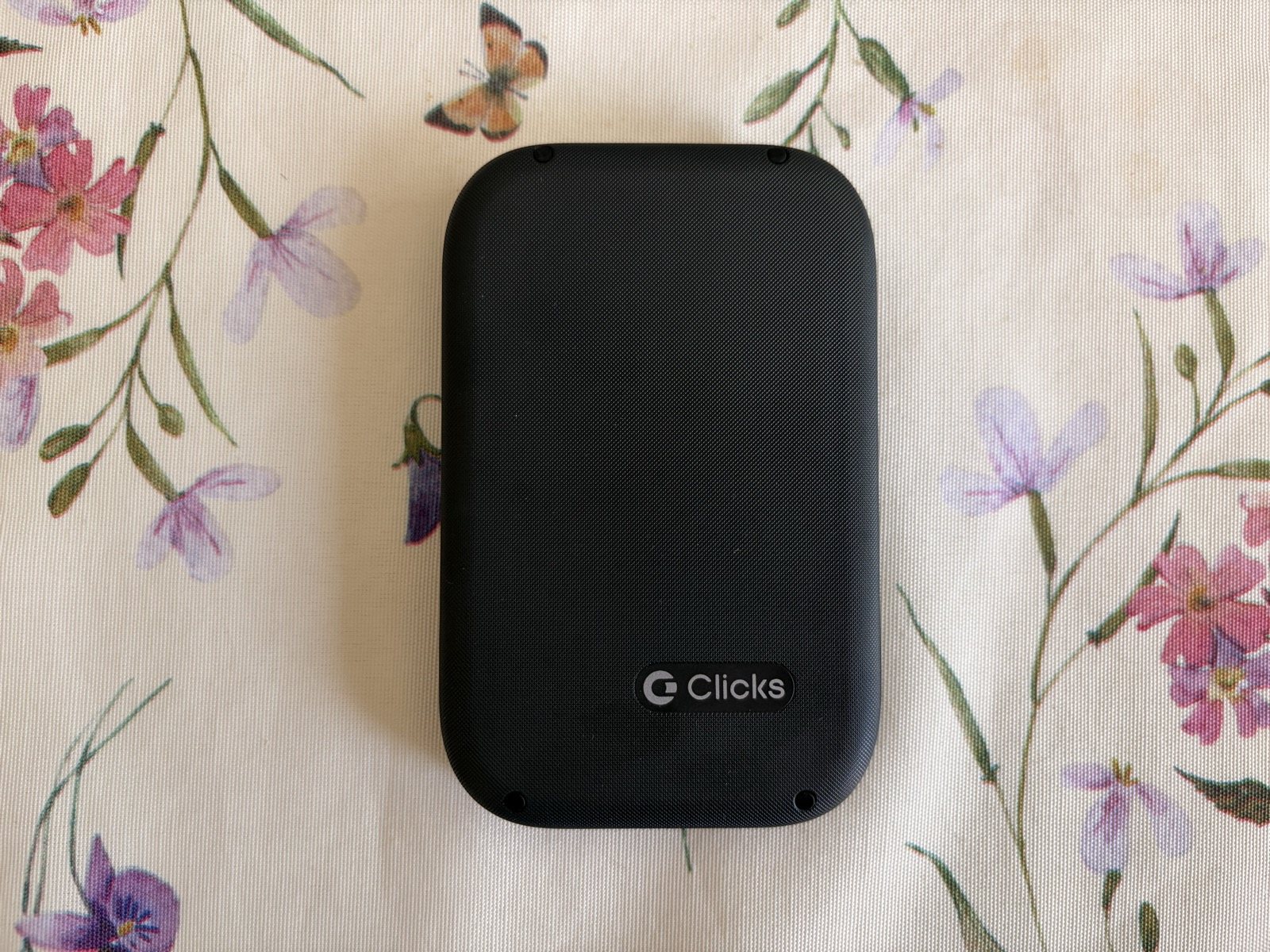
How it works: the magnetic mount and the mechanism
The heart of it all is the magnetic pad. You rest the phone on it and the grip is instant and surprisingly firm: on my iPhone 16 Pro it holds fast, so much so that detaching it takes a deliberate tug. This is where the real difference from the old Clicks comes from: because it isn't a case, the Power Keyboard works with almost anything. An iPhone from the 12 onwards, an Android phone with Qi2, or a magnetic case or adhesive ring is all it takes to make any phone compatible.
The keyboard slides away from the pad with a crisp snap and locks into position, so you can close it up again when you don't need it. And it rotates, letting you switch from portrait to landscape in an instant. Under the pad, when you lift it, you can glimpse the label with the model details: this is where the dual nature of charger and keyboard is spelled out in black and white.
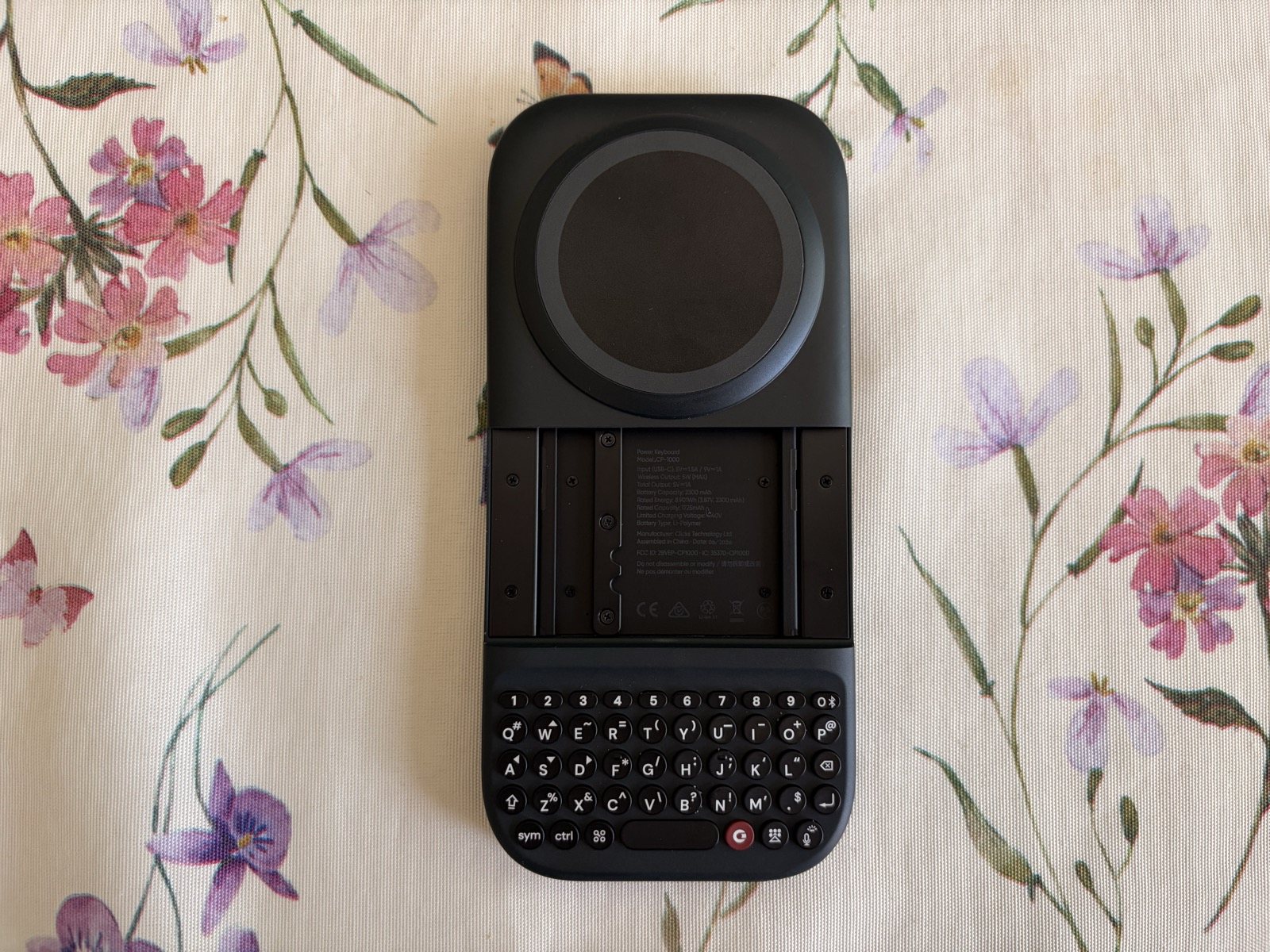
Typing: this is where the ex-BlackBerry touch shows
It's the reason you'd buy something like this, and it's also the most successful part. The keys are small but sculpted, with a well-judged press and a crisp tactile return: every keystroke has that satisfying 'pop' that thumbs with a BlackBerry past recognise straight away. You don't need to look at them; muscle memory comes back quickly. There's a dedicated number row, the most-used symbols, arrow keys and a red shortcut key for the assistant. In the evening, the adjustable LED backlighting makes all the difference.
Let's be honest: for the first few days you make mistakes. The keys are tightly packed and the switch from glass isn't instant. After a few days, though, your speed picks up, and the feeling of really typing without half the screen being covered by the on-screen keyboard makes the learning curve worthwhile.
Charging and battery: handy, but slow
The Power Keyboard's second personality is its 2,300 mAh battery, part of which (about 500 mAh, adjustable from the app) is reserved for the keyboard so that there's always power to type. The rest goes to the phone, charged wirelessly through the magnetic pad while you type. As a principle it's extremely handy: you type and gain a few percentage points in the meantime. The limit is the power, stuck at 5W: charging is slow and the capacity is enough for about half a charge of an average phone. It's not a replacement power bank, but a cushion to get you to the evening. The Power Keyboard itself recharges via USB-C.
Portrait or landscape: two ways to use it
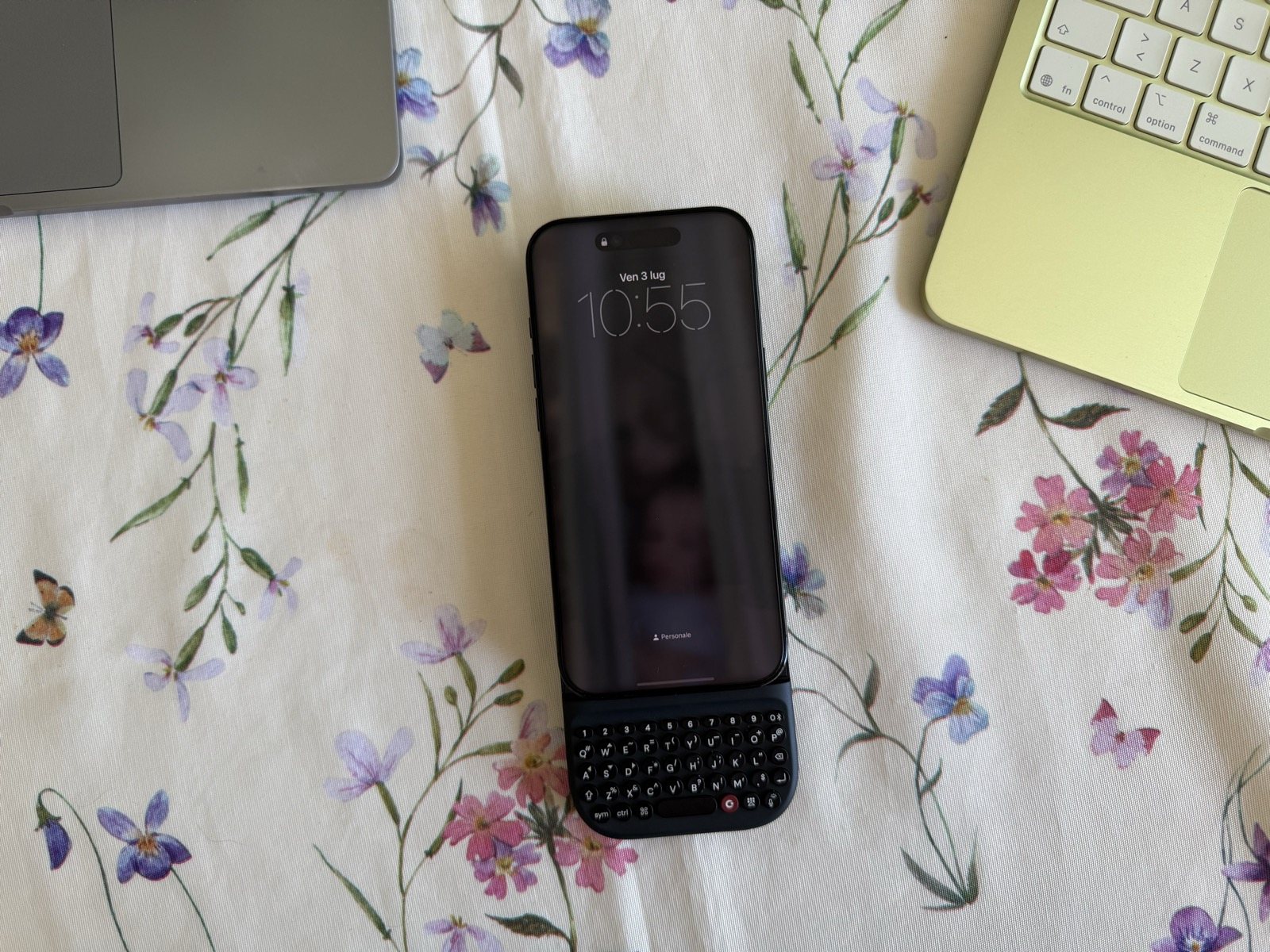
In portrait, the phone sits above the keyboard and becomes a fully fledged candybar: this is BlackBerry mode, perfect for chats and long messages with your thumbs. Rotate it to landscape, though, and you get a sort of micro-laptop: more width for the screen and for your fingers, handy for emails, notes and even the odd spreadsheet without having to keep zooming in. These are two different experiences from the same accessory, and you find yourself choosing according to the task.
Not just a phone: the multi-device side
A detail that often goes overlooked is that, deep down, this is an ordinary Bluetooth keyboard. Thanks to Bluetooth Low Energy 5.4 it remembers up to 9 devices, one for each number key, and keeps up to three connected at once with quick switching. That means the same object can serve your phone, a tablet and a smart TV, or be slipped onto an Apple TV to search for a title without going mad with the remote. It's a niche use, but it explains why Clicks calls it 'a keyboard for all your screens'.
Who it suits (and who it doesn't)
The Power Keyboard is designed for people who type a lot on their phone and can't stand the on-screen keyboard, for fans of the physical key and for anyone who loves clever accessories that do several things at once. It makes no sense, however, for those who just want a power bank (there are bigger and faster ones), for those who want a slim, light phone in their pocket, or for those who type little and get along perfectly well swiping on the glass.
Pros and cons
| ✅ PROS | ❌ CONS |
|---|---|
| Universal (any MagSafe or Qi2 phone) | Slow wireless charging (only 5W) |
| Also a power bank and charger (2,300 mAh built in) | Modest battery (half a charge for a phone) |
| Backlit, adjustable keys | Adds thickness and weight (180 g, bulky phone) |
| Up to 9 devices (phone, tablet, TV) | Takes up the MagSafe mount (no other magnetic accessories at the same time) |
| Satisfying physical typing (ex-BlackBerry signature) | Camera covered while the phone is attached |
| Compatible with magnetic cases | Not cheap for an accessory |
Final verdict
| Category | Score |
|---|---|
| Design and build | ★★★★☆ 4.5/5 |
| Typing | ★★★★☆ 4/5 |
| Charging and battery | ★★★☆☆ 3/5 |
| Multi-device versatility | ★★★★☆ 4.5/5 |
| Value for money | ★★★☆☆ 3.5/5 |
Where to buy
The Clicks Power Keyboard is sold in the official store for about $109, often on a launch offer at around $79. On Amazon it is still listed as coming soon, but it's worth keeping an eye on the page.
Search on Amazon.it
Go to the official Clicks store
Conclusion
The Clicks Power Keyboard is one of those accessories that doesn't solve an urgent problem but changes a habit. It puts physical keys back under your fingers, frees the screen from the virtual keyboard and, as a bonus, keeps your phone a little more charged. It isn't perfect: 5W charging is slow, the attached phone turns into a little brick and the camera stays covered. But the idea, universal and well executed, genuinely works. If you type a lot on your phone and miss the physical key, it's the most sensible accessory to have come along in years.
Frequently asked questions
Does the Clicks Power Keyboard work with any phone?
How much does it charge the phone?
How many devices can it connect to?
Does it cover the phone's camera?
Read also
- Xteink X3 Review: the World's Smallest E Ink Reader, Within Reach of Your iPhone
- Xteink X4 Review: the Pocket-Sized E Ink Mini E-Reader Against Doomscrolling
Review based on hands-on testing and analysis of the main international tech sources. SpazioiTech may receive a commission on purchases made through the links on this page, at no extra cost to you.
Translated from the Italian original. Read in Italian


