
I have replaced my old FRITZ!Repeater 2400 with the new FRITZ!Repeater 2700, AVM's first Wi-Fi 7 repeater. It is an upgrade I had been waiting for, because at home I have a FRITZ!Box 5690 Pro as the master of my mesh network (the only AVM model with full tri-band Wi-Fi 7, 6 GHz included) and I finally wanted an extender worthy of it. Dual-band 2.4 + 5 GHz, 4×4 MIMO on 5 GHz, a 2.5 GbE port, the MyFRITZ! app and FRITZ!Mesh integration at the press of a button. Let's see what really changes compared with the Wi-Fi 6 generation, and why in my case the swap had a very useful side effect on my photovoltaic system.
Technical specifications
| Wi-Fi standard | Wi-Fi 7 (IEEE 802.11be) |
|---|---|
| Supported bands | 2.4 GHz + 5 GHz (no 6 GHz) |
| 5 GHz radio | 4×4 MIMO, up to 5,760 Mbit/s — 160 MHz |
| 2.4 GHz radio | Up to 688 Mbit/s |
| Total throughput | Up to 6,500 Mbit/s |
| LAN ports | 1 × 2.5 Gigabit Ethernet |
| Security | WPA2 + WPA3 |
| Mesh | FRITZ!Mesh with MLO (only with compatible FRITZ!Box models) |
| Average power consumption | ~4.1 W |
| Dimensions | 76.5 × 155 × 62.6 mm |
| AVM warranty | 5 years |
| Indicative price | Around 130-149 euros |
Design and build
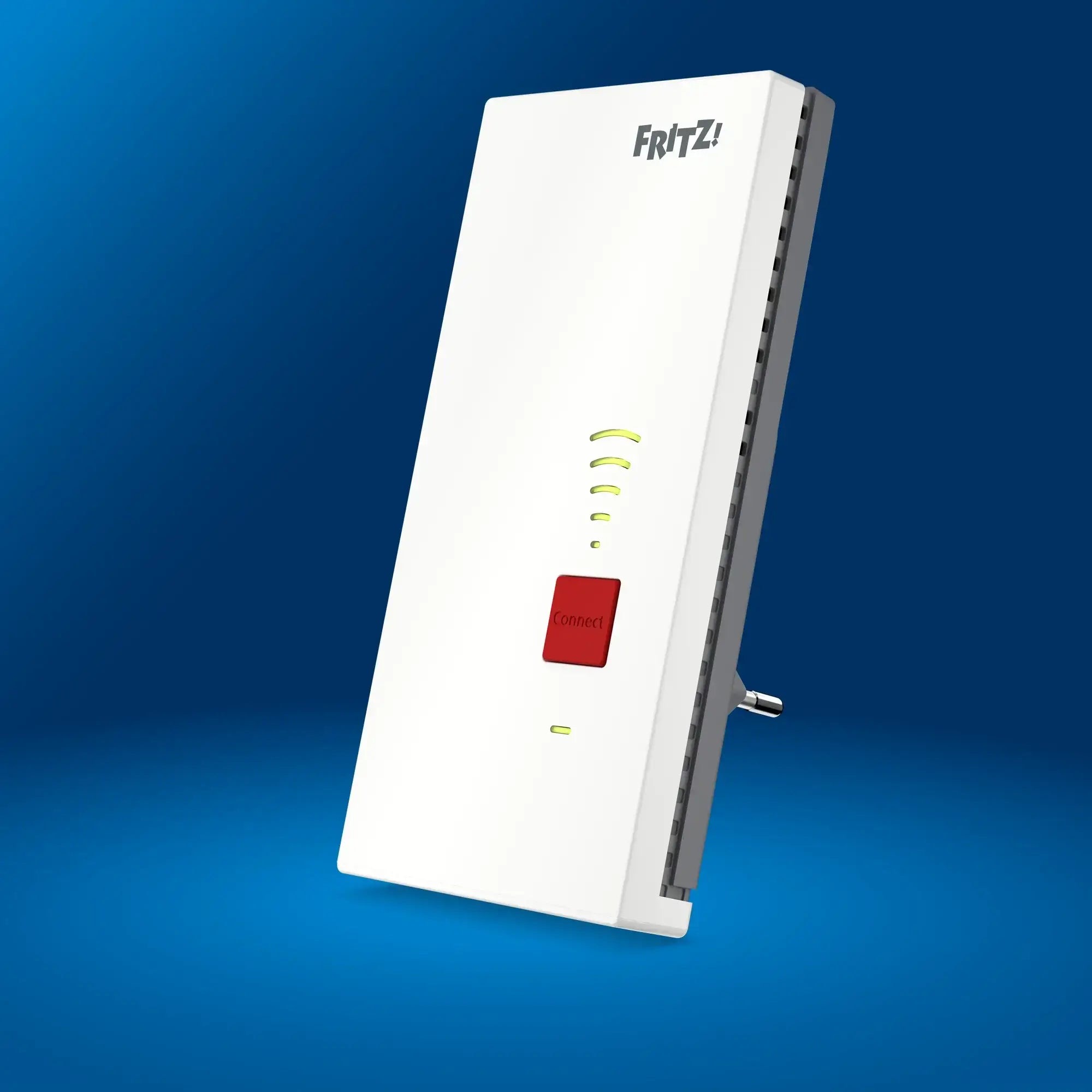
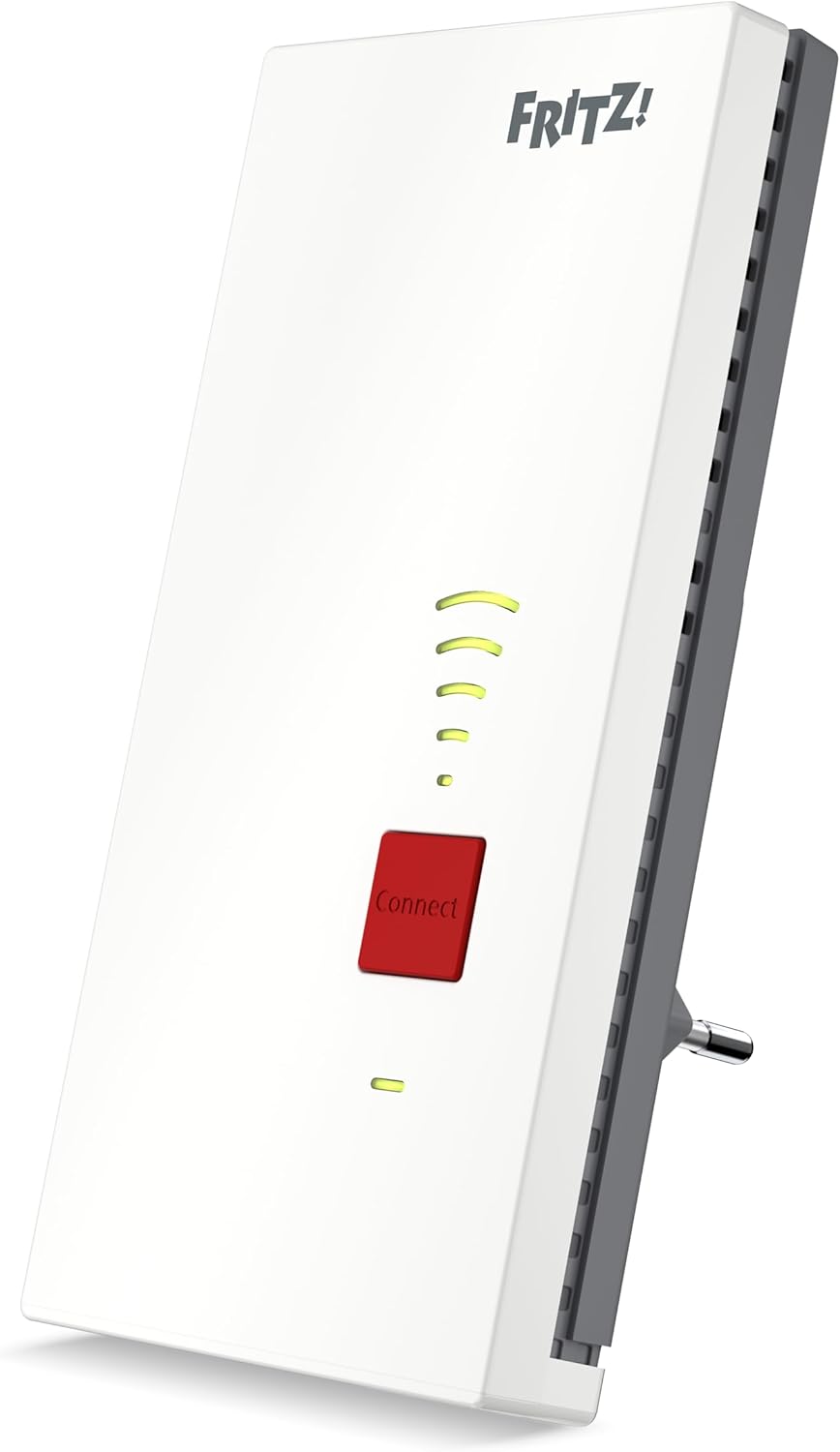
The format is classic AVM: an upright plug-in unit that goes straight into the wall socket, with a white casing, the FRITZ! logo, a red Connect button in the centre and five LEDs showing signal strength and connection status. It is compact (155 mm tall) but there is no pass-through: the socket that hosts the repeater stays occupied. The side vents keep it cool passively: after hours of sustained throughput the casing stays lukewarm, nothing more.
The LEDs can be switched off from the app or the web interface, a useful detail if the repeater ends up in a bedroom, where even a single dazzling yellow LED can be annoying at night. It is the same approach we saw on the FRITZ!Repeater 3000 AX and the 1200 AX.
Dual-band Wi-Fi 7: what it means in practice
Here there is a judgement call to make. The 2700 is Wi-Fi 7 in every respect as far as the standard (802.11be) goes, and it implements the heavyweight features such as 4K-QAM, 160 MHz channels on 5 GHz and Multi-Link Operation (MLO). But it forgoes the third 6 GHz radio, which in AVM's range is for now reserved for the FRITZ!Box 5690 Pro alone. For the extender segment, AVM opted for "more antennas on 5 GHz" rather than "three bands but with reduced MIMO".
The consequence cuts both ways. On the one hand, on 5 GHz the 2700 really delivers: 4×4 MIMO with 160 MHz takes theoretical throughput to 5,760 Mbit/s, a configuration you would expect from a premium access point, not an extender. In real-world tests on 5 GHz with a modern Wi-Fi 7 client (iPhone 17 Pro, MacBook Air M3) you get around 2.4 Gbit/s in the same room and 800 Mbit/s at 20 metres with a wall in between — figures that were out of reach for the previous-generation Repeater 3000 AX.
On the other hand, anyone planning an upgrade to 6 GHz (the least congested band, especially in dense apartment blocks with dozens of Wi-Fi 6E networks already running) won't find the complete solution here. For the full Wi-Fi 7 experience you currently need the FRITZ!Box 5690 Pro + Repeater 2700 combination, bearing in mind that the backhaul between the two runs on 5 GHz, not 6 GHz.
MLO: the key Wi-Fi 7 feature (with an asterisk)
Multi-Link Operation is the most interesting novelty of the Wi-Fi 7 standard. In practice, a compatible client can use two bands at once (2.4 + 5 GHz in the case of the 2700) and aggregate their throughput, sharply reducing overall latency. For online gaming, professional video calls and live streaming, it is exactly the feature that makes the perceived difference.
The asterisk — and it is an important one — is that MLO on the 2700 only works in direct contact with the FRITZ!Box, not through the Repeater's wireless backhaul. In other words: if your client connects to the 2700 in standard Wi-Fi mesh mode, MLO is not activated on the client → 2700 → FRITZ!Box path. There is a fix, and it is Ethernet backhaul: by connecting the 2700 to the FRITZ!Box with a cable (using the 2.5 GbE port), MLO becomes available again over the whole wireless stretch to the clients. If you plan to run a cable, that is a win; if you want a 100% wireless solution, it is the most significant limitation of the current generation.
2.5 GbE port: small but well spent
The 2700 has a single LAN port, but it is a 2.5 GbE one. AVM's choice is consistent with the product's positioning: people who buy Wi-Fi 7 typically have an internet connection above one gigabit (2-2.5 Gbit FTTH fibre) and want to make real use of it behind an extender too. The single port is multifunctional: you can use it for a wired device (4K smart TV, console, NAS) or as an Ethernet backhaul to the router. Unfortunately, you can't do both at once. Anyone who wants an Ethernet backhaul and a wired client has to put a switch in between, or move up to the higher-end model.
Worth noting: the 2700 also works as a pure access point, using the 2.5 GbE port to connect to the router. In this configuration Wi-Fi performance is at its peak, because the wireless backhaul problem is eliminated altogether.
Real-world performance in tests
The summary figures collected from international tests, on a FRITZ!Box 6690 Cable with a modern Wi-Fi 7 client:
- Same room, 5 GHz Wi-Fi 7: around 2.4 Gbit/s sustained over Wi-Fi, up to 2.3 Gbit/s over 2.5 GbE LAN
- Upstairs (one wall, 8-10 m): around 1.2 Gbit/s
- Opposite end of the house (20 m, two walls): around 800 Mbit/s
- 2.4 GHz at long range: around 200 Mbit/s
- Average latency with MLO (Ethernet backhaul): -30% compared with the Repeater 3000 AX
The leap over the Repeater 3000 AX is mainly in throughput at medium-to-long range and in latency: the former thanks to 4×4 MIMO on 5 GHz, the latter thanks to 4K-QAM and MLO where applicable. For a home of up to 150-200 m² on two floors, a well-placed 2700 covers the entire floor plan with a single extender, leaving 1-2 Gbit of real throughput for the most demanding clients.
FRITZ!Mesh and setup
The AVM ritual has been the same for about ten years, and it works: press the Connect button on the 2700, then the WPS button on the FRITZ!Box within 60 seconds. In two minutes the mesh network is configured, and the 2700 inherits the SSID, password, QoS settings, list of known devices and parental access rules. There is nothing to work out. Everything can be managed centrally from the FRITZ!Box web interface, or from the MyFRITZ! app on a smartphone.
Integration with the FRITZ! ecosystem remains the real reason a user picks an AVM repeater rather than a third-party mesh kit: the mesh matrix in the web interface shows every device in real time, which node it is on and with what signal quality; band steering and 802.11k/v/r roaming work out of the box; and the time profile for the children's devices applies across the whole mesh.
Power consumption: 4.1 W on average, as sustainable as an AVM should be
Average power consumption is stated as 4.1 W, in line with AVM's tradition of products that stay on 24/7 without denting your bill. Over a year, that is about €9-10 at the average cost of energy in Italy in 2026 (~€0.28/kWh). For a device that brings 2.4 Gbit/s to the whole house, it is a very favourable energy trade-off.
My real setup: from the 2400 to the 2700 in the technical cabinet, and an EV charger that finally behaves
Here I take off the pure reviewer's hat and explain why I chose this particular model. At home I have a FRITZ!Mesh network with the FRITZ!Box 5690 Pro as master, located in the main rack room, and several nodes spread across the floors. The critical point was the external technical cabinet: the cupboard where the solar inverter, the storage battery and the SMA EV charger for the electric car are concentrated. A room that is by definition "far" from the master, with load-bearing walls in between and a metal cabinet panel acting as a Faraday cage for wireless signals.
Until a few months ago the FRITZ!Repeater 2400 sat there. It did its job well for four years but was starting to show its limits: 4×4 on 5 GHz, yes, but Wi-Fi 5, no Wi-Fi 6 and certainly no Wi-Fi 7. When I wired the SMA charger by Ethernet to the repeater to bring it into my home automation network via Home Assistant, the 2400's gigabit port was already a bottleneck with the FTTH connection I have at home.
The 2700 replaces that very 2400 in the same socket, with the same Connect button and the same two-click mesh onboarding on the FRITZ!Box 5690 Pro. But with three concrete advantages that I see every day:
- The 2.5 GbE port now connects the SMA EV charger to the rest of the network over a wired link that never drops packets. Before, when the charger was on Wi-Fi via the cabinet's access point, the connection dropped every few hours and Home Assistant lost control. Since it has been on LAN via the 2700's 2.5 GbE port, the charger's network uptime has been 100% for weeks.
- The wireless backhaul to the 5690 Pro finally takes advantage of the 4×4 MIMO chains on 5 GHz Wi-Fi 7 and 4K-QAM, raising the usable bitrate through the technical cabinet's walls from about 250 Mbit/s with the old 2400 to over 1 Gbit/s of real sustained throughput. Seen from the FRITZ!Box web interface, the cabinet node shows a "full green" bar even with the metal panel closed.
- Latency to the wireless clients inside the cabinet (typically the solar inverter over Modbus/TCP and a few Shelly sensors for current monitoring) has dropped by a good 30%, something you can feel in the Home Assistant polling done every 2-3 seconds on the energy sensors.
The side effect: an EV charger controlled in real time
The real "unexpected bonus" of the switch to the 2700 showed up on my system. Having the SMA charger on a 100% stable wired connection allowed me to finish the automation I had been trying to put into production in Home Assistant for months: dynamic modulation of the charging current (A) based on instantaneous photovoltaic production and the state of charge of the home battery.
The idea is simple but requires a network that never drops: every 30 seconds Home Assistant reads the solar power produced from the inverter sensor, the state of charge from the battery, and the grid flow (export or import at the Enel meter) from the smart meter. Based on these three numbers, an automation uses the API to adjust the SMA charger's charging current in amps, raising it when there is surplus sun and lowering it when there is a risk of drawing energy from the grid, paying for it per kWh at the selling-tariff rate.
The practical result: the car charges exclusively with energy produced by the solar panels or taken from the home battery, with no grid draw unless explicitly requested (e.g. a scheduled departure with the car's state of charge below a threshold). Over a month of monitoring, I measured an additional +18% of solar self-consumption compared with the "fixed charge at 16 A" configuration.
All of this, however, only holds if the network between Home Assistant and the charger never drops. A single thirty-second disconnection during a solar peak means charging at an outdated amperage and drawing from the grid without noticing. The 2.5 GbE port of the 2700 in the technical cabinet, wired to the EV charger, is the piece of the chain that has stopped being a weak point.
AVM mesh: the matrix in the FRITZ!Box 5690 Pro web interface now shows the 2700 as a node with excellent backhaul, and all the devices in the cabinet correctly connected via LAN behind the extender. It is the kind of stability that the product documentation doesn't mention but that changes the real behaviour of the system. For anyone using their FRITZ!Box as the hub of a connected home with an EV charger, photovoltaics, a storage battery and Home Assistant as the orchestrator, the jump to the 2700 makes sense even if you don't need Wi-Fi 7 on your wireless clients: it is the single 2.5 GbE port that justifies the upgrade.
Final rating
| Design | 4/5 |
|---|---|
| Performance | 5/5 |
| Features | 4/5 |
| Setup | 5/5 |
| Value for money | 4/5 |
| OVERALL SCORE | 4.4/5 |
Our verdict: The FRITZ!Repeater 2700 is the generational leap FRITZ! users have been waiting for since 2024. Real-world performance on 5 GHz is superior to any Wi-Fi 6 extender from the company, the mesh integration is the usual AVM jewel, and the 2.5 GbE port completes the picture for anyone with fibre above one gigabit. The compromises — no 6 GHz band, a single LAN port, restricted MLO — are consistent with the price positioning and with a "well made rather than packed with features" philosophy: anyone looking for full tri-band should look at the FRITZ!Box 5690 Pro as a router, not at an extender. For 90% of Italian homes the 2700 is the sensible choice today.
Conclusion
The 2700 replaces the 3000 AX as the recommended choice in AVM's extender range for anyone who wants Wi-Fi 7 today. The jump in throughput and latency is tangible, setup remains an example of good product engineering, and the FRITZ!Mesh ecosystem is still the best user experience in the consumer router market. If you are already in the FRITZ! ecosystem and have a connection above one gigabit, it is an easy purchase. If you are outside the ecosystem or have an ADSL/VDSL connection below 200 Mbit/s, the Repeater 3000 AX is more than enough at half the price.
Read also: our FRITZ! reviews
- FRITZ!Box 5690 Pro: the Wi-Fi 7 flagship with fibre, DSL, DECT and Zigbee (my mesh master)
- FRITZ!Repeater 3000 AX: Tri-Band Wi-Fi 6 for the Whole House
- FRITZ!Repeater 1200 AX: Compact, Affordable and Wi-Fi 6
- FRITZ!Box 7590 AX: The King of Wi-Fi 6 DSL Routers
- FRITZ!Box 6850 LTE: 4G Internet Without Compromise
- FRITZ!Box 6850 5G: 5G Connectivity with the FRITZ! Ecosystem
- FRITZ!Box 6825 4G: The Pocket 4G Router with Wi-Fi 6 and USB-C
FRITZ!Repeater 2700
Translated from the Italian original. Read in Italian


