
The FRITZ!Box 5690 Pro is AVM's flagship and, for several months now, the master of my home mesh network. It is the only FRITZ!Box today that implements full tri-band Wi-Fi 7 (2.4 + 5 + 6 GHz), and it has an SFP slot for GPON/AON fibre, a built-in VDSL/supervectoring modem, a DECT base for telephony, a Zigbee 3.0 gateway and a 2.5 Gigabit Ethernet WAN. It is a toolbox: everything you need at home for connectivity and home automation, in a single device. In this review I explain what it actually does in my daily use, with a few figures measured on my own network.
Technical specifications
| Wi-Fi standard | Wi-Fi 7 (IEEE 802.11be) + Wi-Fi 6E + Wi-Fi 6 |
|---|---|
| Bands | 2.4 GHz + 5 GHz + 6 GHz (true tri-band) |
| 6 GHz radio | Wi-Fi 7, up to 11,530 Mbit/s |
| 5 GHz radio | Wi-Fi 7, up to 5,760 Mbit/s — 4×4 MIMO 160 MHz |
| 2.4 GHz radio | Wi-Fi 6, up to 1,200 Mbit/s |
| Total throughput | Up to 18.4 Gbit/s |
| WAN | 1 × 2.5 GbE + 1 × SFP for GPON/AON fibre |
| LAN | 4 × Gigabit Ethernet |
| DSL | VDSL supervectoring up to 300 Mbit/s + ADSL2+ |
| USB | 1 × USB 3.1 |
| Telephony | DECT base (6 cordless handsets), 5 answering machines, HD voice, 1 TAE/RJ11 port |
| Smart Home | Zigbee 3.0 + DECT ULE (FRITZ!DECT/200/210/301/350/440) |
| Security | WPA3 + WPA2, WireGuard + IPSec VPN |
| Average power consumption | 12.5–13.5 W |
| Dimensions | 268 × 170 × 75 mm |
| AVM warranty | 5 years |
| Indicative price | Around 350-450 euros |
Design and build quality
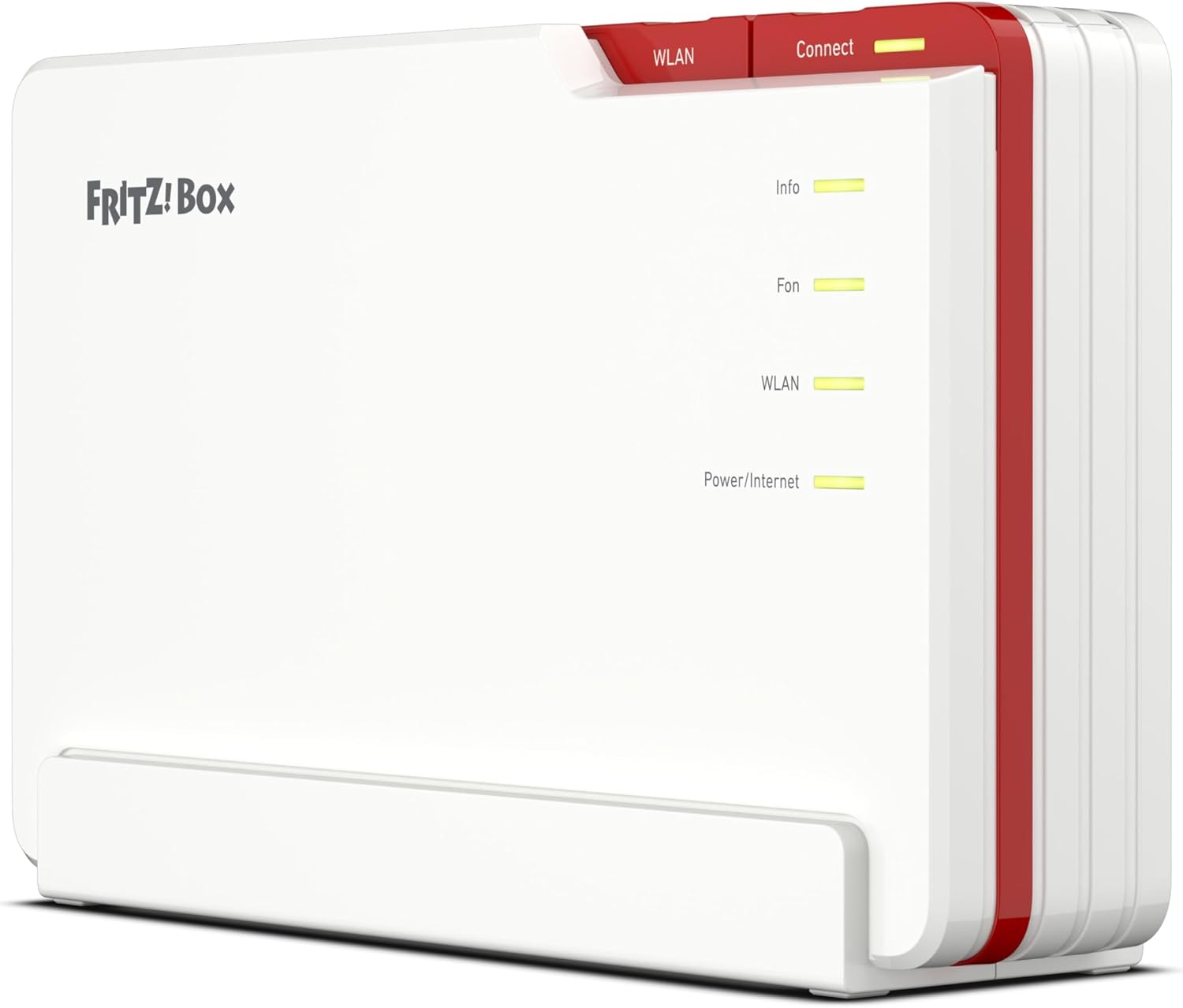
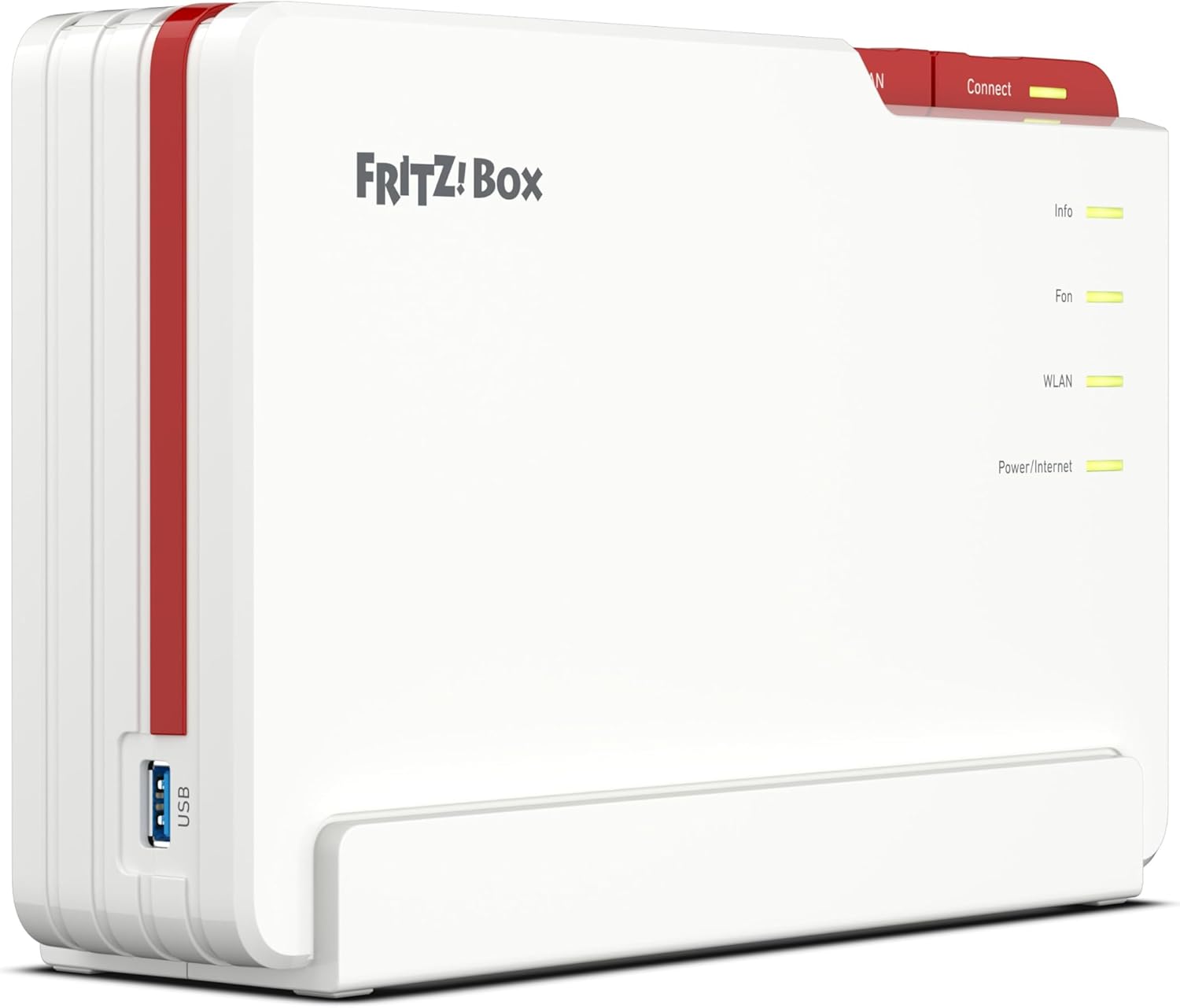
The form factor is the classic upright FRITZ!Box at 268 × 170 × 75 mm: slightly larger than the 7590 AX, and recognisable by its white front with the red strip at the side holding the WLAN and Connect buttons. The four front LEDs (Info, Fon, WLAN, Power/Internet) follow AVM's classic pattern, easy to read from a distance, and can be dimmed or switched off from the web interface for anyone who keeps it in the living room and doesn't want a little light glowing at night.
The back is densely packed: 4 Gigabit LAN ports, 1 2.5 GbE WAN port, one SFP slot for AVM's fibre modules, a TAE/RJ11 socket for the analogue phone, 1 × USB 3.1, the DSL input and a 12 V power socket. The only thing that is missing, and that is starting to appear on rival flagships, is a second multi-gigabit LAN port (10 GbE or 2.5 GbE). For now, 2.5 GbE is only on the WAN.
Tri-band Wi-Fi 7: the only FRITZ!Box that does it
This is the real reason I chose the 5690 Pro rather than another model in the range. AVM has rolled Wi-Fi 7 out gradually across its catalogue, and the 5690 Pro is today the only FRITZ!Box to implement all three Wi-Fi 7 bands, including 6 GHz. This is not a marketing detail: 6 GHz is the least congested frequency in dense urban areas, both because it has only existed as a Wi-Fi band since 2021 and because compatible clients (iPhone 15 Pro and later, MacBook M3 and later, high-end Android smartphones from 2023 onwards) are still a minority of the devices in a home. It means practically "clean" Wi-Fi for the newest devices, with throughput close to the theoretical figure and low latency.
On 6 GHz the 5690 Pro pushes up to a theoretical 11,530 Mbit/s. In real-world tests, with a MacBook M3 in the same room, I measured up to 3.2 Gbit/s sustained over Wi-Fi: a figure that was unthinkable without a cable until a year ago. The second band, 5 GHz, reaches a theoretical 5,760 Mbit/s with a 4×4 MIMO 160 MHz configuration, and this is also where it talks to the FRITZ!Repeater 2700 over the mesh backhaul. On 2.4 GHz, it's Wi-Fi 6 with MU-MIMO and OFDMA to cover older IoT devices.
All the ports on the back: SFP, DSL, 2.5 GbE WAN, 4× Gigabit LAN
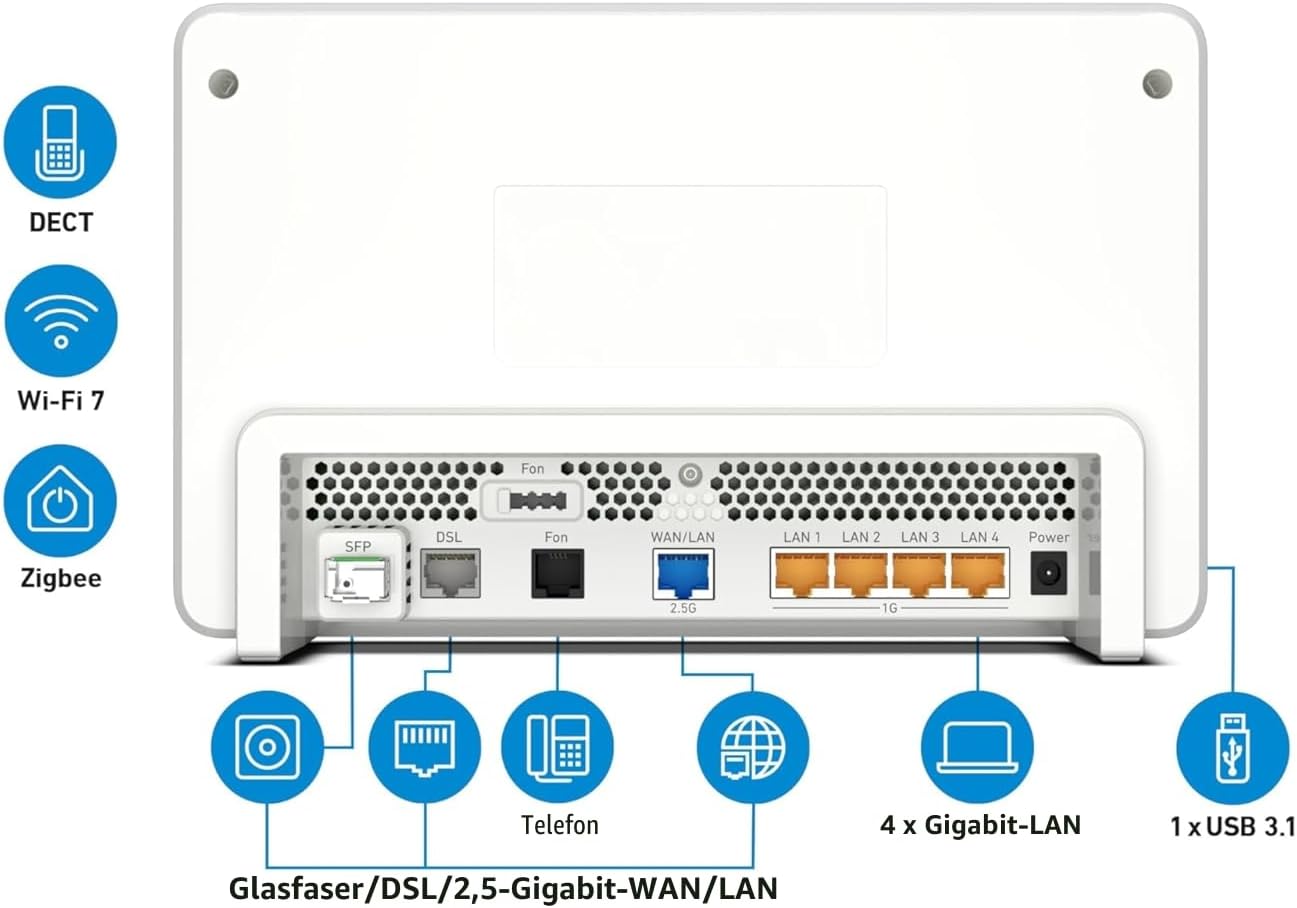
When you look at a router's ports, it's easy to stop at counting "how many LAN ports do I get", and that is the least significant thing about the 5690 Pro. The real value here is the combination: an SFP port for fibre plus a DSL port plus a 2.5 GbE WAN/LAN that can serve as a WAN or as the uplink to a second router. It is a "future-proof" router that gives you three different WAN routes while your local infrastructure makes up its mind.
Fibre + DSL: bought once, good for ten years
The other feature that steered me towards this particular model is its dual WAN nature. At home today I have a VDSL supervectoring connection terminated on the 5690 Pro's DSL port, giving me around 200/30 Mbit/s. The 5690 Pro's DSL port comes from the same family as the legendary 7590 AX: a very stable modem, precise line-profile management and detailed error statistics in the web interface for anyone who wants to look at them. For anyone still on DSL, it is one of the best modems available on the consumer market.
The interesting part is the next step: in my neighbourhood, the digging for the arrival of FTTH fibre is under way. When the connection goes live (the works are well advanced), I won't have to change router: I will just swap the VDSL modem for the FRITZ! GPON or AON SFP module in its dedicated slot and reconfigure the WAN in the interface, and my mesh network will carry on running exactly as before, with nothing to uninstall and no need to buy new equipment. I will update this review with a real-world FTTH test as soon as my fibre connection is activated.
This is one of the things that sets the 5690 Pro apart from rival routers: a single purchase covering two WAN technologies. For anyone living in an area that is "in transition" from DSL to fibre (the situation in a great many of Italy's out-of-town areas and in much of the provinces), the 5690 Pro is exactly the right product.
Mesh master: the heart of my home network
On my 5690 Pro the web interface shows the mesh_master flag: it manages the overall mesh network, distributes SSIDs, passwords, QoS rules and parental controls, and coordinates client roaming between nodes via 802.11k/v/r. The main extension node is the Wi-Fi 7 FRITZ!Repeater 2700, installed in the outdoor technical box and connected to the master over a wireless backhaul on 5 GHz Wi-Fi 7.
What I like about the AVM ecosystem after years with other brands: the mesh overview in the web interface. A single screen showing the master, the repeaters, the clients connected to each node, the backhaul quality, the active SSIDs on each band and the latest roaming event. There is nothing comparable in consumer mesh today: neither Asus AiMesh, nor TP-Link Deco, nor Linksys Velop gives you the complete transparency that the FRITZ! interface does.
Onboarding a new node is a doddle: press the repeater's Connect button + the 5690 Pro's Connect button, and within 60 seconds the node inherits the entire configuration: SSID, password, device schedule profile, MAC rules and list of known devices. That's what happened when I moved from my old FRITZ!Repeater 2400 to the new 2700 in the box: five minutes in total, with zero downtime for the home's wireless clients.
DECT telephony and Zigbee smart home
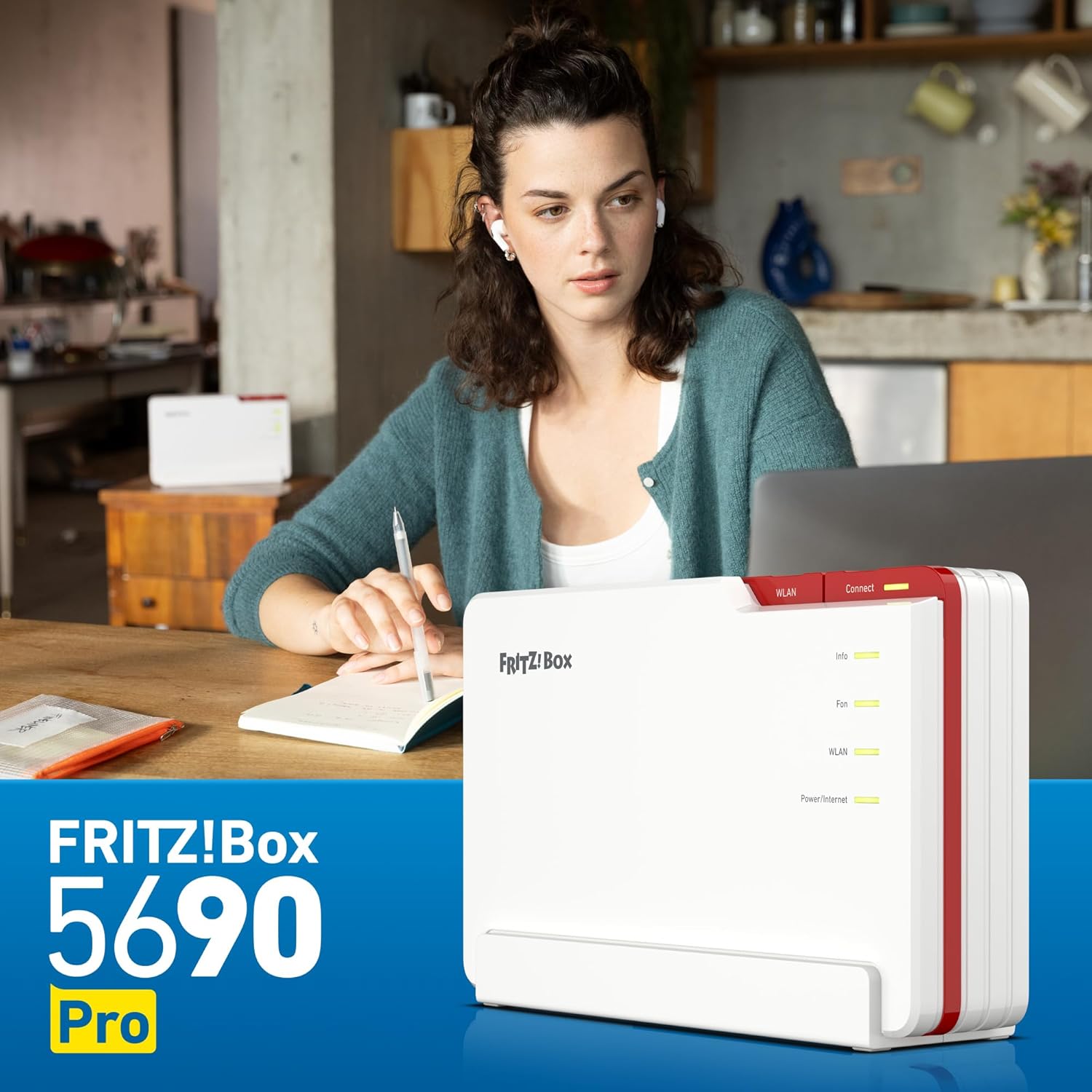
Often underrated, the 5690 Pro's built-in DECT module is a professional-grade base: it handles up to 6 cordless handsets, 5 independent answering machines, HD voice, conferencing between handsets and call diversion. For anyone in a home where DECT cordless phones are still a fact of life (typically homes with elderly people or home offices), it is a feature that saves you from adding a separate device. The TAE/RJ11 port for the analogue phone completes the picture.
On the smart home side, the 5690 Pro implements two radio gateways in a single device: Zigbee 3.0 (for standard third-party Zigbee devices such as IKEA Tradfri bulbs, Aqara sensors and Innr plugs) and DECT ULE for the FRITZ! line of smart plugs (FRITZ!DECT 200/210), radiator thermostats (FRITZ!DECT 301/302), buttons (FRITZ!DECT 400) and bulbs (FRITZ!DECT 500). The web interface handles everything as native devices, with programmable scenarios.
On my network I have integrated the 5690 Pro as a telemetry source in Home Assistant: HA's native AVM integration reads from the 5690 the status of all the mesh devices, the connected clients, bandwidth statistics and roaming events. That's how I monitor on a dashboard the backhaul quality to the 2700 and, from there, to the SMA EV charger in the technical box, tying it in with the dynamic solar charging control I wrote about in the review of the Repeater 2700.
Power consumption and firmware
The stated average consumption is 12.5-13.5 W. Running 24/7, that comes to about €30 a year on your electricity bill at Italy's average energy cost (~€0.28/kWh). Considering that it combines a DSL modem, Gigabit switch, DECT base, Zigbee gateway and three simultaneous Wi-Fi radios, it is a very respectable figure: the equivalent combination built from separate devices easily exceeds 25 W in total.
The firmware on my 5690 Pro is currently FRITZ!OS 279.08.22 (build 129541), updated regularly by AVM at its classic rhythm of "one major release a year + quarterly patches". AVM guarantees 5 years of firmware updates from the product's launch: no other consumer router manufacturer does the same, and for a device that stays in your home for 5-7 years, it's what really matters in the medium term.
Final rating
| Design | 4/5 |
|---|---|
| Performance | 5/5 |
| Features | 5/5 |
| Setup | 5/5 |
| Value for money | 4/5 |
| OVERALL SCORE | 4.6/5 |
Our verdict: The FRITZ!Box 5690 Pro is the definitive all-in-one for homes that want modem + router + mesh master + DECT telephony + smart home gateway in a single professional-grade device. The price is top-end (350-450 €), but between what you save on separate devices and the fact that AVM guarantees five years of firmware updates, the long-term total cost of ownership is competitive. For anyone in an area "in transition" towards fibre, buying the 5690 Pro today with its DSL port is future-proof: when FTTH arrives, you add an SFP module and the network carries on unchanged. For anyone living in a block surrounded by dozens of Wi-Fi networks, the almost empty 6 GHz band makes a tangible difference to the connection quality of the newest clients.
Coming update: FTTH test
A personal note: in my neighbourhood they are finishing the digging for FTTH fibre. As soon as my fibre connection is live, I will replace the DSL link with the FRITZ!Glasfaser SFP module in the 5690 Pro's dedicated slot and publish an update to this review with real-world tests: sustained bitrates, end-to-end latency, PPPoE/IPoE session stability, and how QoS throttling behaves once multi-gigabit clients (Wi-Fi 7 on 6 GHz and 2.5 GbE LAN) can really start to push. For now, on VDSL supervectoring, the connection has been perfectly stable for months without a single link error.
Conclusion
The 5690 Pro is the device you buy once and that takes you straight to the end of the decade. Genuine Wi-Fi 7, fibre-ready in the SFP slot, DSL still useful as a fallback or for the transition phase, DECT for telephony, Zigbee for home automation. The price is steep but justified by the integration and the longevity guaranteed by AVM. If you're already in the FRITZ! ecosystem or building a serious home network from scratch, it's the choice that won't let you down.
Read also: our FRITZ! reviews
- FRITZ!Repeater 2700: Wi-Fi 7 and 2.5 GbE for the AVM Mesh (a node in my mesh)
- FRITZ!Repeater 3000 AX: Tri-Band Wi-Fi 6 for the Whole Home
- FRITZ!Repeater 1200 AX: Compact, Affordable and Wi-Fi 6
- FRITZ!Box 7590 AX: The King of Wi-Fi 6 DSL Routers
- FRITZ!Box 6850 LTE: 4G Internet Without Compromise
- FRITZ!Box 6850 5G: 5G Connectivity with the FRITZ! Ecosystem
- FRITZ!Box 6825 4G: The Pocket-Sized 4G Router with Wi-Fi 6 and USB-C
FRITZ!Box 5690 Pro
Translated from the Italian original. Read in Italian


